Product
Member's Beneficiary Flow
UX redesign of ATRF’s MyPension Beneficiary module, unifying multi-role workflows and improving accessibility, clarity, and confidence for sensitive data management.
Category
Client
Year
Project overview
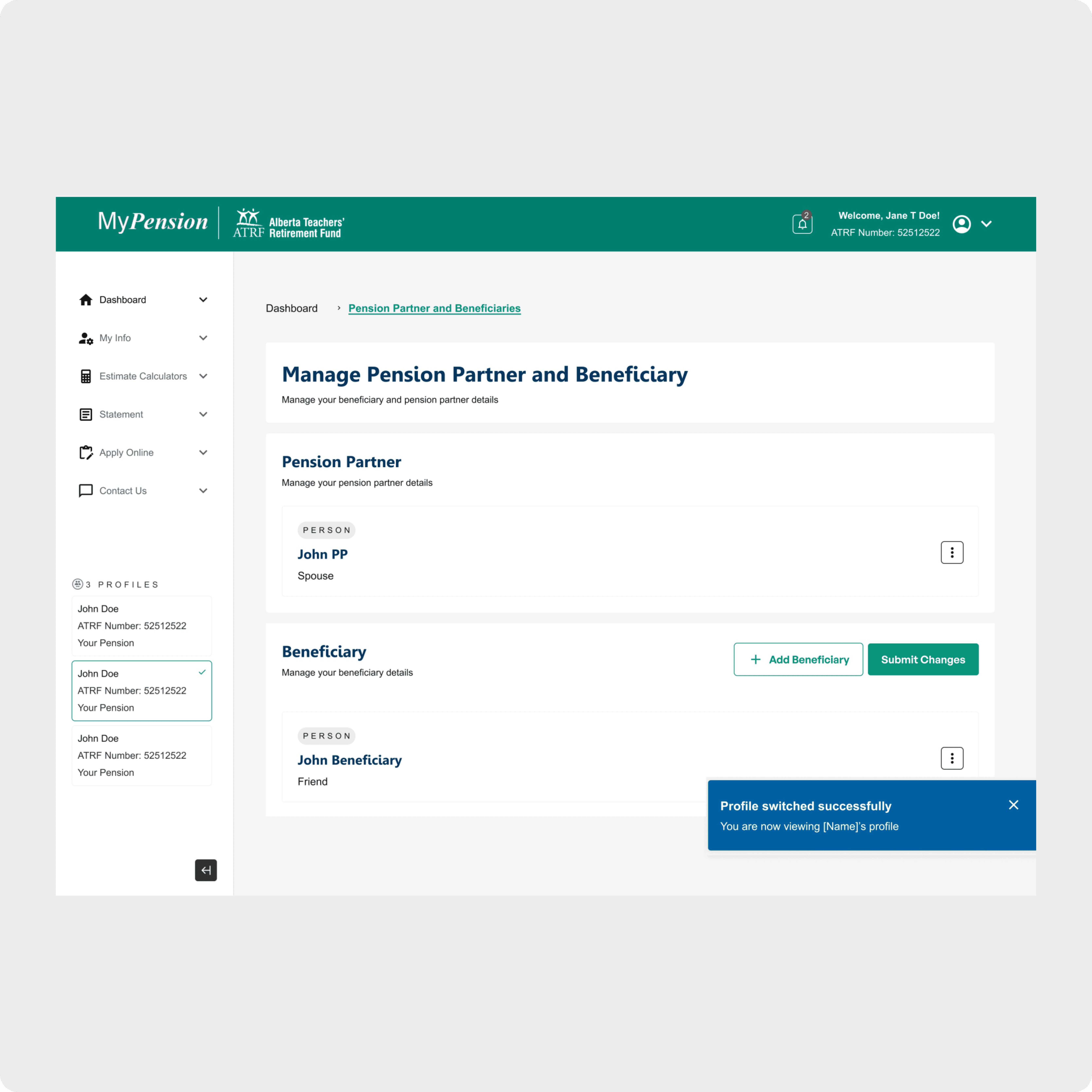
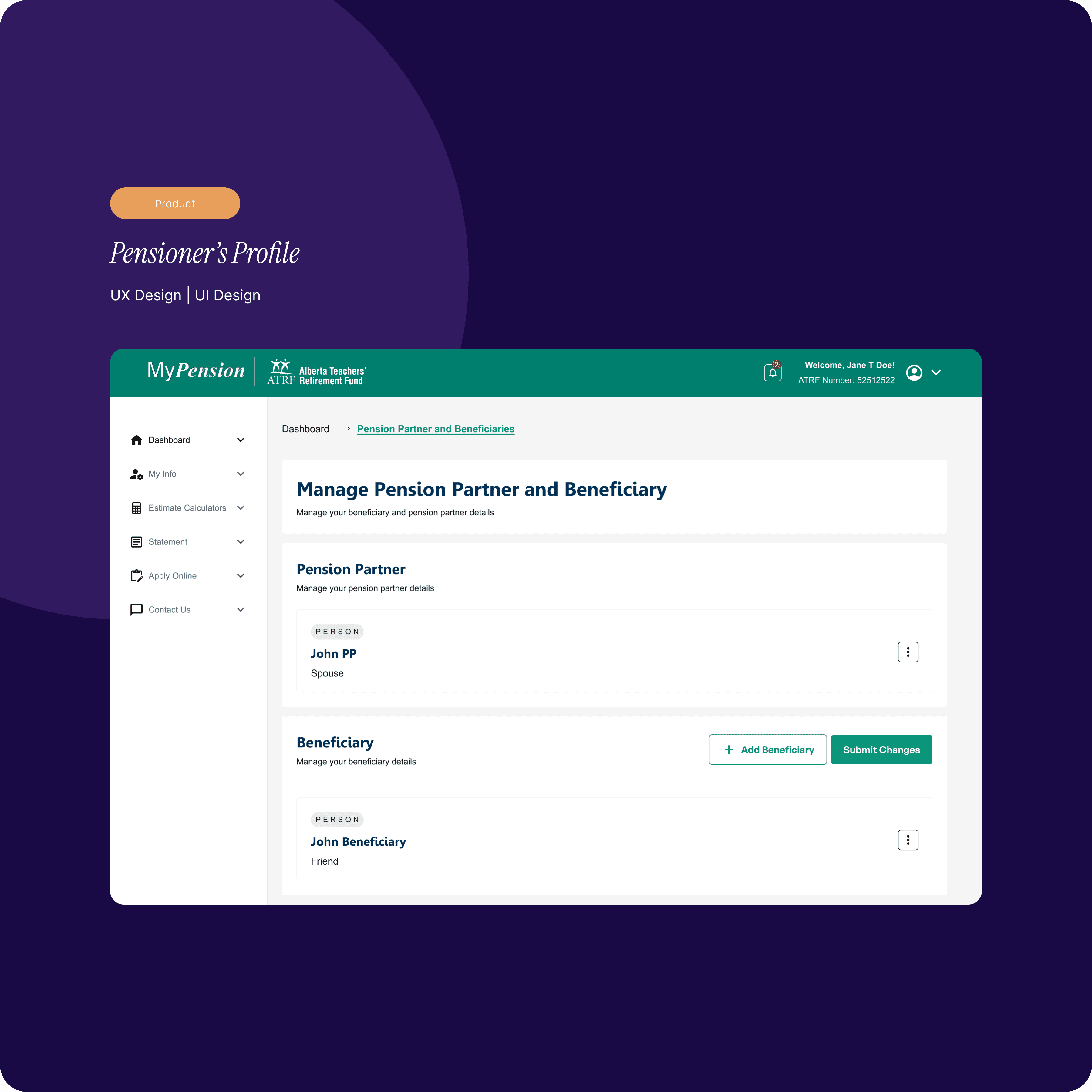
Redesigned the Beneficiary module for ATRF’s MyPension portal to enable a fully self-serve experience for managing sensitive beneficiary information. The redesign replaced phone-based support and manual document mailing with a secure, guided Request Status Update flow—allowing Members, Pension Partners, and Nominees to complete updates independently with clarity and confidence.
Problem
The Beneficiary module relied heavily on manual processes. Users often needed to call ATRF or mail physical documents to request changes, creating delays, confusion, and avoidable support overhead.
Within the product itself, beneficiary management had evolved into fragmented, role-specific flows with inconsistent permissions, UI patterns, and accessibility support. Users were frequently unsure:
What actions they were allowed to take
Whether changes were submitted successfully
What would happen after a request was made
This resulted in repeated support inquiries and low confidence when managing critical personal information.
Approach
Shift beneficiary management from support-led to self-serve
Unify workflows across user roles while clearly communicating permissions
Make request status, next steps, and outcomes explicit
Improve accessibility for complex, form-heavy interactions
Establish reusable patterns for future MyPension modules
Solution
Unified, Role-Aware Framework
Designed a single, consistent beneficiary experience shared across all user roles, with permissions clearly communicated through UI states and messaging—so users always understand what they can view, request, or manage.
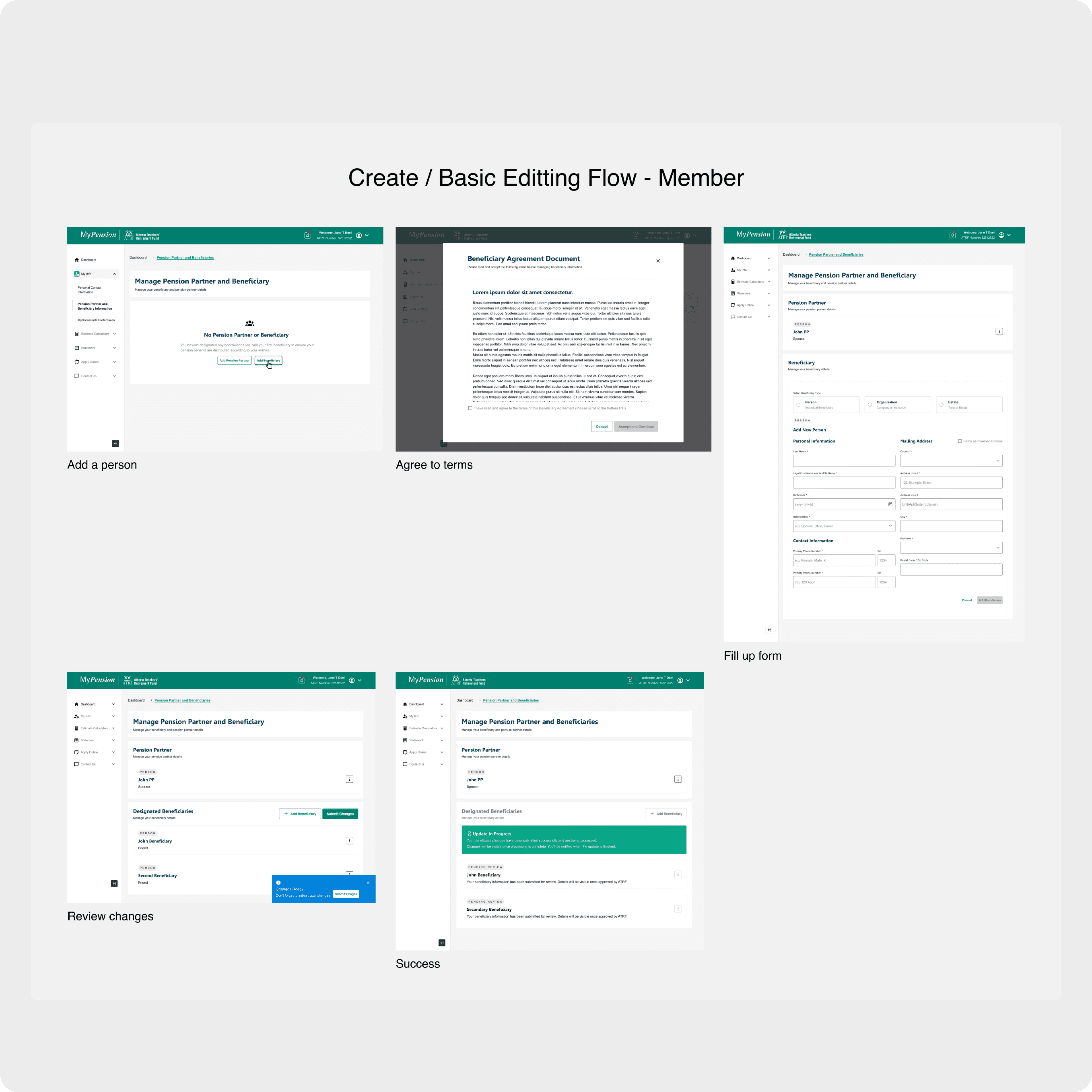
Members: Create or request beneficiary changes through a guided, step-by-step flow
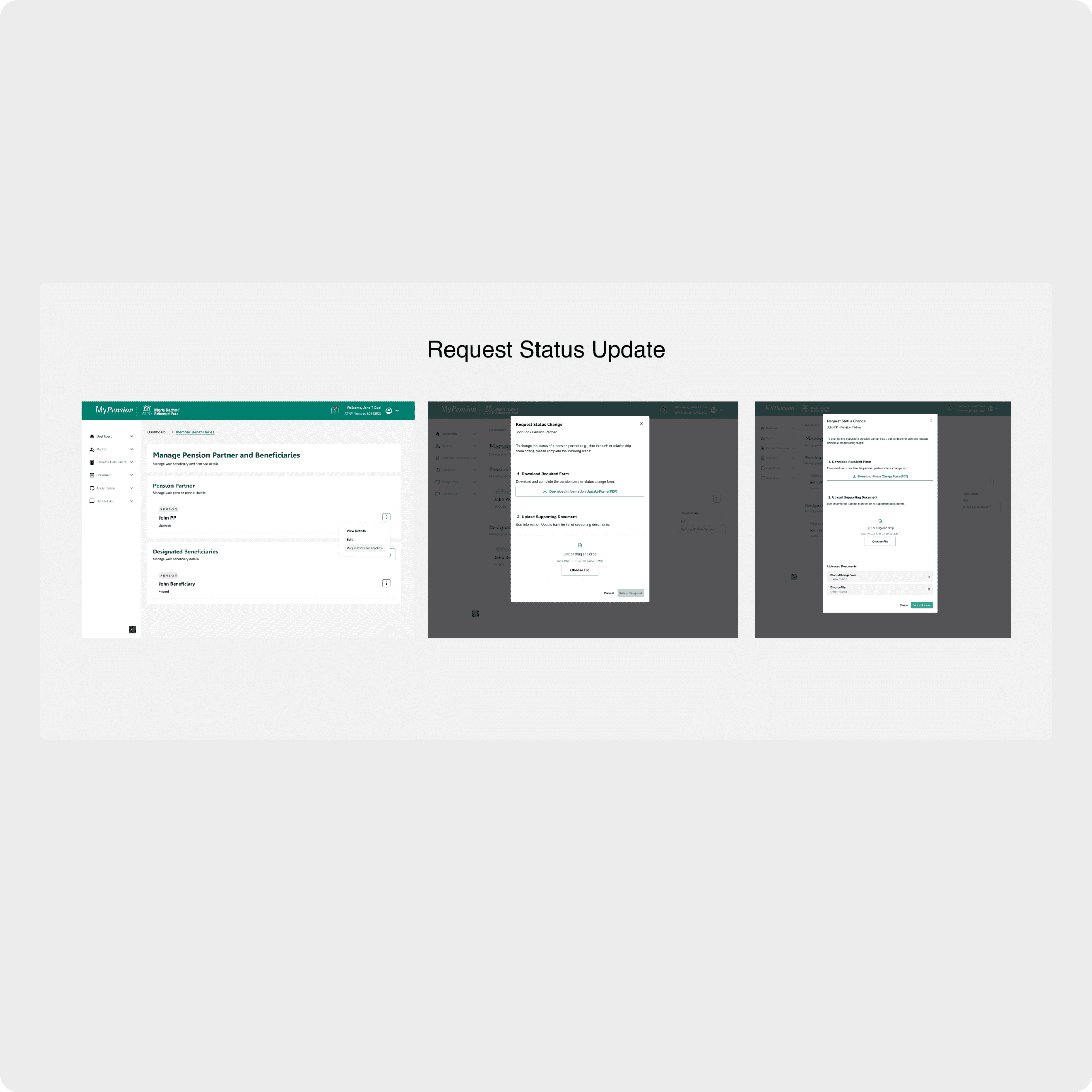
Pension Partners: Submit update requests with supporting documents through a secure form
Nominees: View beneficiary information in a read-only experience using the same layout for familiarity
Request Status Update Flow
Replaced direct edits and offline processes with a structured, self-serve request flow:
Select change type
Provide supporting details
Upload documents
Submit the request for ATRF review
Each submission confirms success with a reference number and clearly communicates what happens next—removing uncertainty and reducing follow-up calls.
Accessibility & Reusable Components
Clear permission messaging and disabled states with explanations
Inline validation and consistent success/error feedback
Shared MUI-based components (inputs, upload, confirmation)
Designed to WCAG 2.1 AA standards
This ensured the experience was both inclusive and scalable across future portal enhancements.
Result
While full development was paused due to budget changes, the redesign established a strong foundation for self-serve beneficiary management.
Projected outcomes:
Higher task completion through clear, guided flows
Reduced support requests related to beneficiary updates and permissions
Increased trust and confidence when managing sensitive personal information